Sometimes a new site is confusing, or you’ve accumulated a number of topics here that are hard to keep track of. You can find them all in Activity, of course, but might need to dig a bit depending on how prolific a poster you are.
Here’s three ways to keep your links straight, including one for others!
1. Bookmarks
You can bookmark any post, using the buttons at the bottom of the post:

When doing so, you can also make it remind you that you bookmarked the topic, in case it’s something you’re going to need at a specific time later.

You can find all your bookmarks by clicking on the  icon to open your notifications, then click the same bookmark icon to find them all again.

That’s all there is to it, now the topic is bookmarked until you hit the button on the post again.
2. Sidebar Links
Sometimes you just need the links in your face, and for that you can make a custom section in the sidebar (accessible by ☰ on mobile).

Click the + button on the bottom to add a new section.

Call it whatever you want, only you will see this. Underneath you can add a link (with a direct URL, copy one from the topic you want to save) and a name for it. Then add another and another until you’re done. Use the = to grab and move them around as needed, and save it.

Now your links will always be in your face on the sidebar, right under the main links.
3. Dossiers (for everyone else)
Both of these have just been for you and you alone. But what if you want to show everyone else a set of links, like all the topics you’ve written in to roleplay? For that, we have the Dossiers, available on your character bio topic.
First, go to your bio…you did bookmark that already didn’t you? If not, here’s your chance!
You can find the button to make on on the sidebar again, or at the bottom of the post with the bookmark button. Click the … button to show the whole menu in case it’s collapsed:


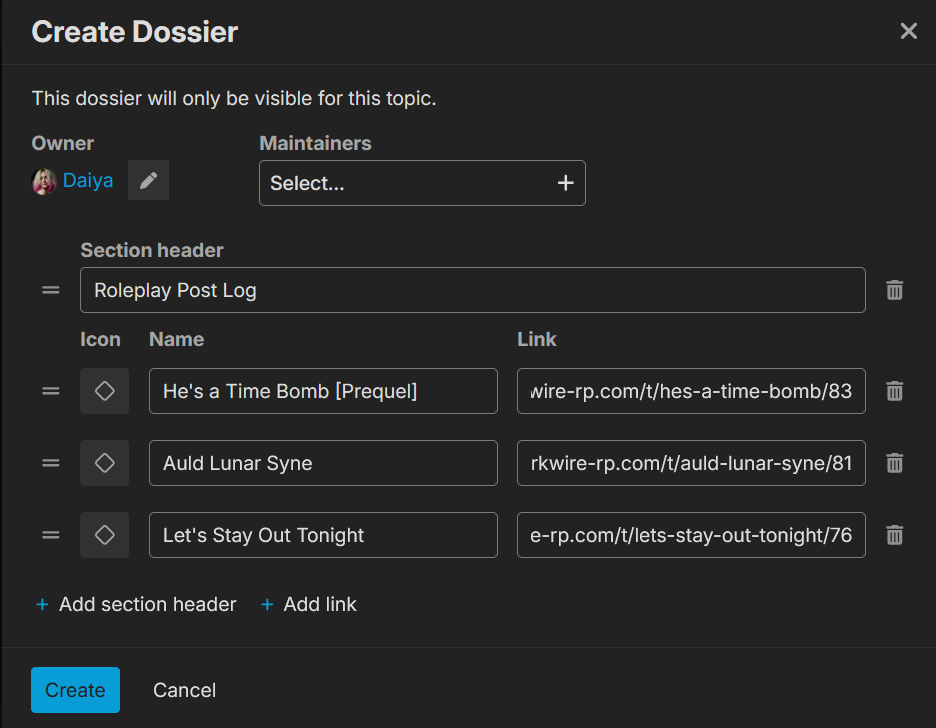
Fill out the pop-up window and save when you’re ready. You can add section headers to separate out different links, and replace that diamond icon with some emoji or colors if you are so inclined. If this is an NPC bio, you may wish to add Maintainers if others frequently write for the NPC, so they can also add pertinent topics when you’re busy.
Now the sidebar will look something like this…but only on your bio. This gives other people a place to go when they want to read more about your character and their story.

That’s all you need do, except to come back once in a while to make updates. Everything is yours to change and control here, so be mindful of site rules and have at it.